Expense management apps
Add receipt scanning to your expense or reimbursement product without building or training a model.
One API that turns photos of receipts, tickets and invoices into validated expense data. Send one image or a batch of hundreds and get clean JSON back, for expense apps, accounting tools and data pipelines.
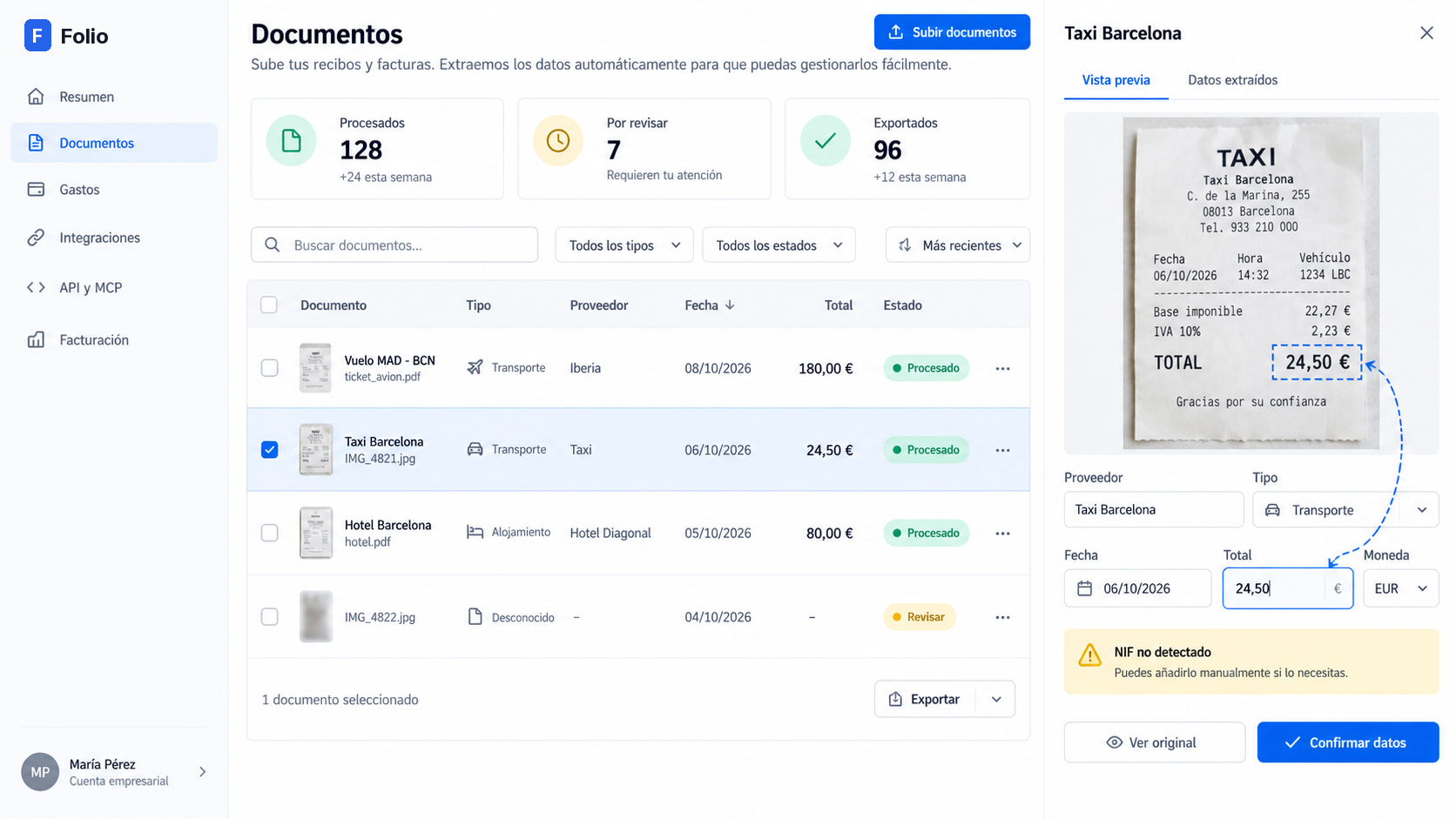
Folio does the extraction so your product does not have to. You keep the user experience; we return the data.
Add receipt scanning to your expense or reimbursement product without building or training a model.
Turn the photos your clients send into supplier, date, total, VAT and tax ID fields.
Process image archives in batches, with your own reference on every document.
Give an agent an MCP server with scoped tools to extract, look up and export.
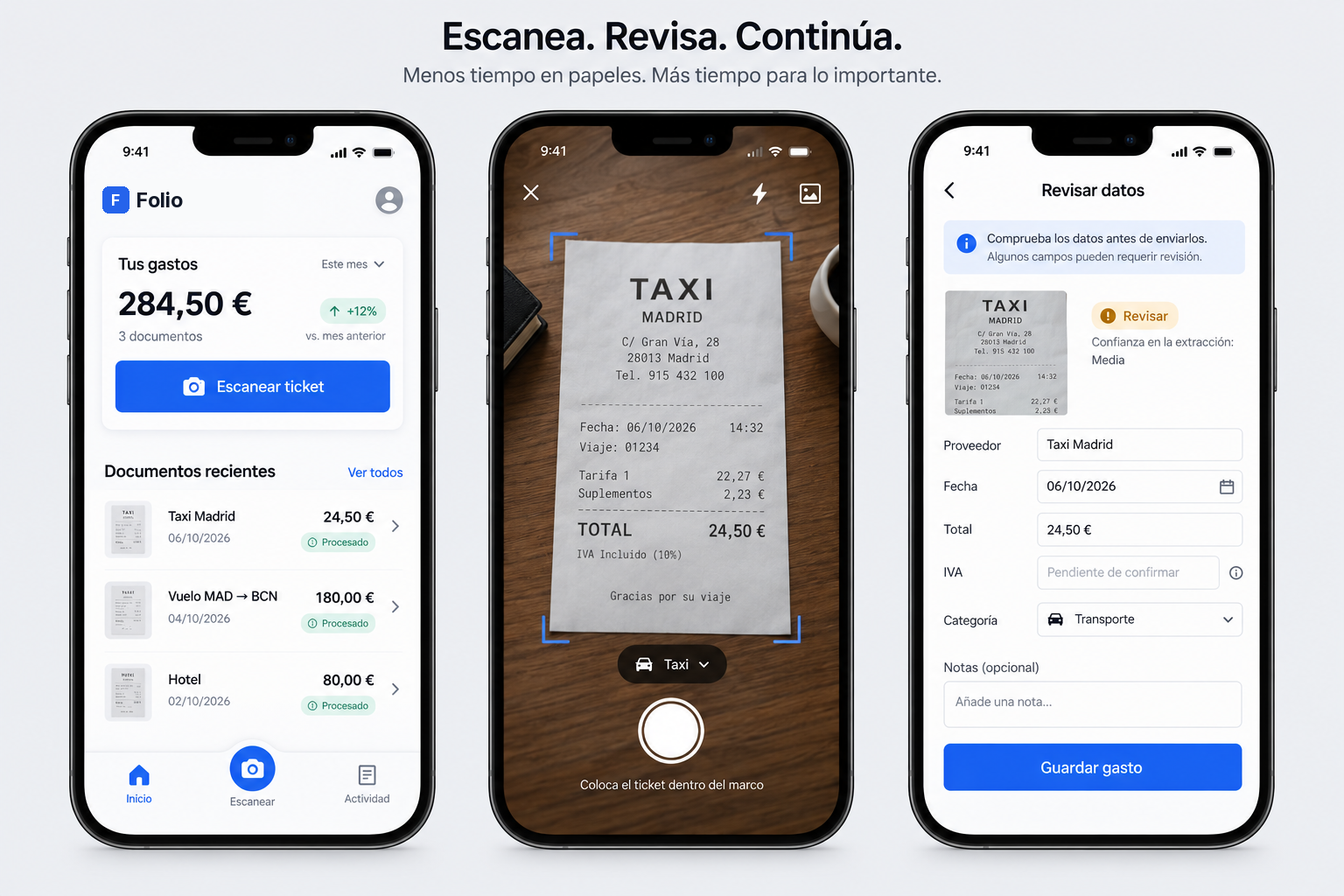
Upload a photo from the web panel, or send it through the API.
Check amounts, dates and supplier details against the original. Missing fields stay visible.
Only confirmed expenses export, as CSV or through the API.
Choose a sample and see how a document becomes a reviewable record. This demo uses illustrative data, not live OCR.
SAMPLE DOCUMENT · NOT A REAL RECEIPT
Thank you for your journey.
Extraction does not establish whether a document is a valid tax invoice.
A REST API, a batch API and an MCP server. Scoped keys decide what each integration can do.
Batches are processed asynchronously: poll the batch or receive a webhook when it is done.
Every plan includes the REST API, batches, webhooks, the MCP server and the review workspace. Plans differ by volume.
No card needed
+ VAT, billed monthly
+ VAT, billed monthly
Volume contract
Prices in euros, VAT not included. Paid plans open soon and will be billed through Stripe. Until then every account starts on Free and no card is asked for.
Pair extracted fields with the original document so reviewers can verify the details.
Flag unreadable or missing fields instead of filling the gaps with guesses.
Four scopes: documents:read, documents:write, expenses:read, expenses:write. A key only sees the tools it can call.
Create a key, send your first batch, get JSON back.
Get an API key ↗Read the API docs